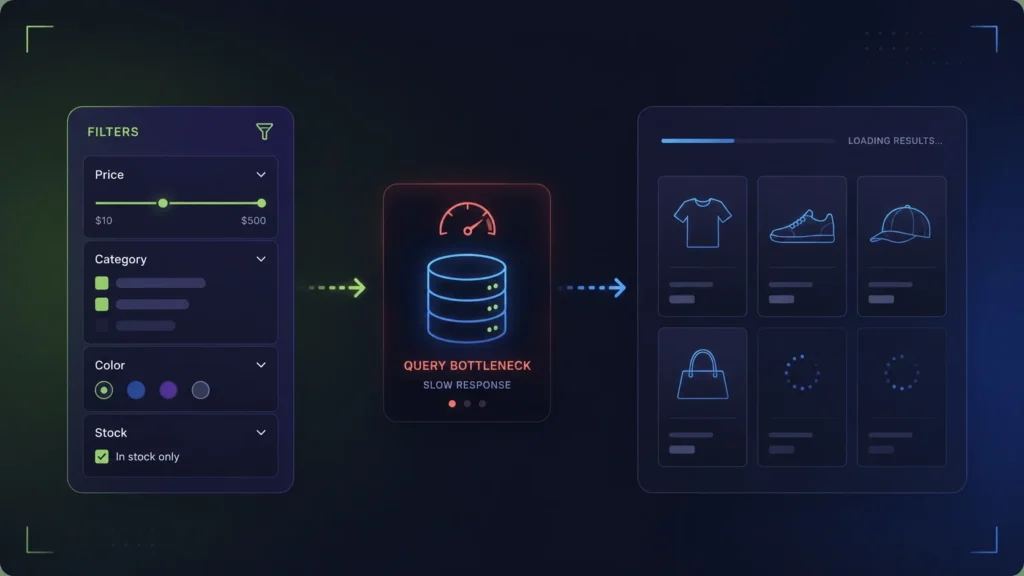
WooCommerce filters slow down your site because every click bypasses your page cache (like WP Rocket) and forces a heavy SQL query on the wp_postmeta table. The only true fix is to stop querying the database per click. By moving the filter logic to the browser using a JSON index (frontend-first filtering), you eliminate AJAX latency and server load entirely.
The illusion of the fast first paint
If you run your WooCommerce category pages through Google PageSpeed Insights, you might see a healthy score. Your Time To First Byte (TTFB) is under 200ms, your images are optimized, and your caching plugin is doing its job. The shop feels fast.
Then, a customer clicks the “Size: Large” filter. Suddenly, the page hangs for a full second. They click “Color: Blue”, and it hangs again. If this happens during a Black Friday sale with hundreds of concurrent users, your server CPU spikes, PHP workers get exhausted, and the entire checkout flow slows down for everyone.
This is the WooCommerce filter performance paradox: optimizing the initial page load does almost nothing to optimize the filtering experience. To fix slow filters, you have to understand what happens on the server the moment a user interacts with the sidebar.
Why is my WooCommerce shop page so slow when filtering?
If you are searching for a fix to slow WooCommerce filters or high admin-ajax.php CPU usage, you are hitting the architectural limit of WordPress. The slowness is caused by a perfect storm of three factors:
- The Cache Bypass: Caching plugins (like WP Rocket) serve static HTML for the main category page. But when a user clicks a filter, the URL changes (e.g.,
?color=blue&size=large). This unique query string bypasses the page cache, forcing the server to process the request from scratch. - The AJAX Tax: Most filter plugins use AJAX. Every click sends a request to
admin-ajax.phpor a custom REST endpoint. This forces your server to boot up the entire WordPress core just to handle the filter request. - The Database Schema: To find “Blue” and “Large” products, WooCommerce must perform heavy
JOINoperations across thewp_posts,wp_postmeta, andwp_term_relationshipstables. At 5,000+ products, these queries become incredibly slow.
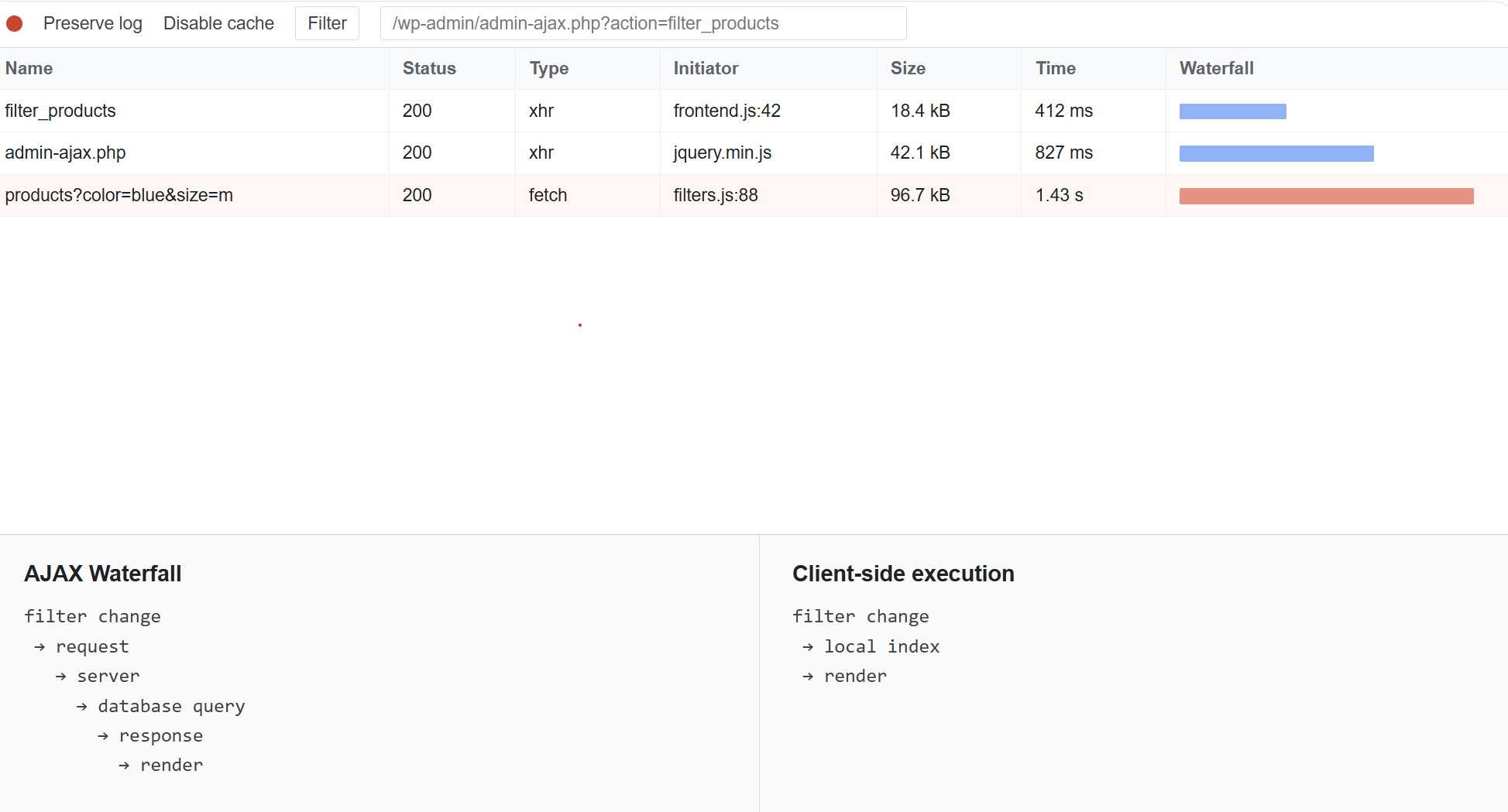
The root cause: SQL Joins and wp_postmeta
To understand why filtering is inherently expensive in WordPress, look at how WooCommerce actually stores attributes — not as neat columns, but as a mix of taxonomies and serialized meta.
Global attributes (e.g. pa_color) use taxonomy terms: values like “blue” live in wp_terms and link to products via wp_term_relationships. Local attributes on a product are stored together in one _product_attributes row in wp_postmeta — a serialized PHP array, not separate indexed fields. Variations add per-variation meta such as attribute_pa_color.
The product itself is a row in wp_posts, but filterable data is scattered across taxonomy JOINs and meta blobs. That is the schema AJAX filter plugins fight on every click.
When a user filters a category for “Blue Shirts in Size L under $50”, WordPress cannot simply look up a single row. It must construct a WP_Query that executes massive SQL JOIN operations across multiple tables to intersect these conditions. It then has to calculate the remaining available counts for all other filters (e.g., discovering that there are now 0 “Red” shirts available in Size L, so the “Red” option should be disabled).
For a catalog of 500 products, MySQL handles this in milliseconds. For a catalog of 15,000 products with complex variations, this query becomes a heavy computational burden.
Why caching plugins fail on filtered URLs
You might think your caching plugin (like WP Rocket or LiteSpeed Cache) will save you. It won’t. Caching plugins work by saving the HTML output of a specific URL. A static category page (/shop/shirts/) is easily cached.
However, when a user applies a filter, the URL changes (e.g., /shop/shirts/?filter_color=blue&filter_size=l). Every unique combination of filters creates a unique query string. Because caching engines cannot predict or store every possible combination, they are configured to bypass the cache whenever query strings are present.
This means every single filter interaction forces WordPress to boot up, load all plugins, connect to the database, execute the heavy SQL joins, and render the HTML from scratch. It is the equivalent of a completely uncached page load, triggered repeatedly by every user.
The AJAX Band-Aid
Most filter plugins use AJAX to prevent a full browser refresh. While this feels smoother to the user, it does not solve the server load. An AJAX request still boots WordPress, bypasses cache, and runs the heavy database queries. It just hides the loading state behind a spinner.
The limits of server scaling
When shop owners encounter slow filters, the instinct is to throw money at the problem by upgrading hosting. More CPU cores, more RAM, more PHP workers.
While a robust server is essential for WooCommerce, scaling hardware to solve inefficient database queries is a losing battle. If an AJAX filter request takes 800ms on a $50/month server, upgrading to a $200/month server might reduce it to 400ms. It is an improvement, but it is not “instant,” and it still doesn’t protect you from concurrent traffic spikes.
To achieve true scale, you must change the architecture, not just the hardware.
Performance impact of filter architectures
| Architecture | Server Load per Click | Concurrency Limit | Best For |
|---|---|---|---|
| Native SQL (Default) | Very High | Low (Crashes easily under load) | Small shops (< 1,000 SKUs) |
| Indexed AJAX | Medium (Fast DB, but still boots WP) | Medium (Bound by PHP workers) | Mid-sized shops, complex post types |
| Client-Side Export | Zero (Math happens in browser) | High (Server only serves static files) | Large catalogs, high-traffic sales |
The Client-Side Export solution
If the server is the bottleneck, the logical solution is to stop asking the server to do the math. This is the premise of the Client-Side Export architecture, utilized by InstantFilter.
Instead of querying the database on every click, the plugin scans your catalog in the background and compiles a highly compressed JSON “codebook”. This file contains the relationships between all your products and their attributes.
When a user visits a category page:
- The server delivers the initial HTML (fully cached and SEO-friendly).
- The browser downloads the compressed JSON codebook in the background.
- When the user clicks a filter, the browser’s JavaScript engine calculates the intersections and updates the grid instantly.
Because modern browsers (even on mobile devices) are incredibly fast at processing JSON arrays, the filter interaction takes milliseconds. More importantly, zero requests are sent to your server. Your PHP workers remain free to handle actual checkouts instead of calculating facet counts.
Benefits of Client-Side Filtering
- Immune to traffic spikes: 1,000 users filtering simultaneously puts no more load on your server than 1 user.
- True instant UI: No network latency, no waiting for TTFB.
- Lower hosting costs: You don’t need to over-provision PHP workers just to handle catalog browsing.
Trade-offs to consider
- Initial payload size: The browser must download the JSON export. For massive catalogs (50K+ SKUs), this file can be several hundred kilobytes, slightly delaying the “time to interactive” on slow 3G connections.
- Background indexing: You must rely on background processes (cron jobs or CLI) to keep the JSON export updated when you add new products.
Keep going
If your WooCommerce filters are slowing down your shop, upgrading your hosting is only a temporary fix. Evaluate your filter architecture and consider moving the computational load to the browser. Looking for the best WooCommerce filter plugin for large catalogs? Use our comparison guide to match architecture, variations, and scale to your store.
- Best WooCommerce filter plugin comparison
- Fix slow filters: wp_postmeta explained
- Stop filters bypassing WP Rocket cache
- Filter 50K products without AJAX load
- InstantFilter vs FacetWP
- How InstantFilter indexing works
Stop paying for AJAX round-trips
Start a 14-day trial of InstantFilter. Clone your site to staging and experience zero-latency filtering.